Playing Not THAT Button! with kids
Not THAT Button! is a game for all ages, and the Family Fun deck is written for children of 6 to 12: animals, space, the world, stories, films, sport and food. Here's how to set up a game where the kids can take on the grown-ups and win.
Choose Family Fun
When you choose the decks, pick Family Fun. If you also play other decks, you can give some rounds Family Fun and others a grown-up deck, so everyone gets questions at their level. (See Build your own show.)
If a deck in the game is marked 18+, everyone sees a note about it in the lobby before you start.
Slow it down
In the game's settings:
- set Answer time to Relaxed, so younger players have time to read and answer;
- set Difficulty to Easier.
Rounds that work well
- Quick Drawa question, four answers, and the faster you're right, the more you score.
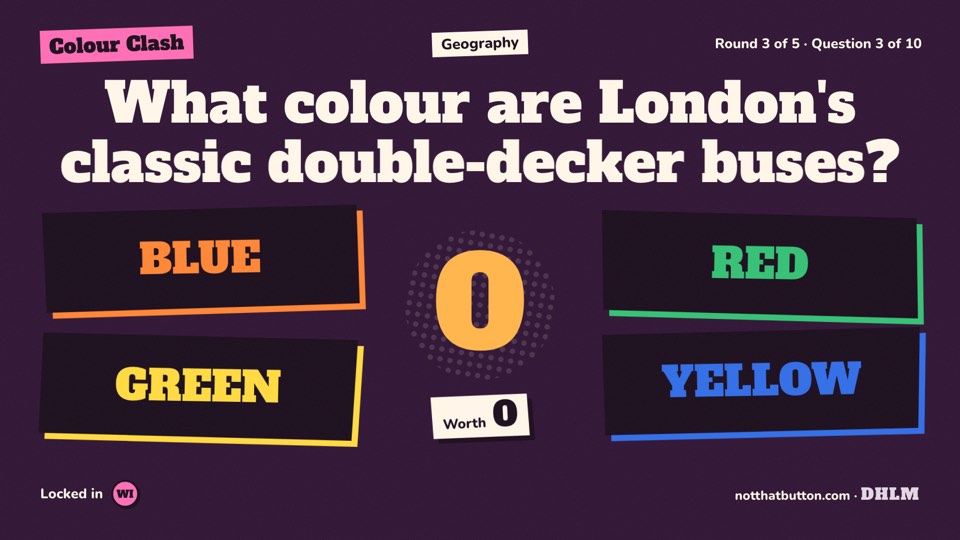
- Colour Clashpress the colour a word is written in, not the colour it says. Kids are often better at this than adults.
- Short Fuseanswer right to pass the bomb before it goes off.
- Pecking Orderput four things in order, first to last.
Save the set-up as a game of your own, and it's ready for next time.
Phones for everyone
Each player needs a phone or tablet to answer on. Children can play on a parent's old phone or a family tablet with the free app. Nobody needs an account or an email address: just a nickname.
The host
The host teases, but gently: he picks on the moment, never the person. And children should play with a parent's or guardian's say-so.
Play Not THAT Button!
The questions play out on the big screen. Everyone buzzes in on their own phone.